Enhancing UI Testing with the New Chromatic Plugin for Vitest
Editor’s note: Today, we’re excited to highlight an introduction to Chromatic's new visual testing plugin for Vitest, provided by Kyle Gach. This article dives into how visual testing complements traditional component checks and effectively identifies UI regressions before they impact users.
Your pull request for an “add to favorites” feature has been approved. All automated tests show success, and continuous integration reports no issues.
Then, you receive feedback from a user indicating that the product card appears incorrectly on their mobile device.
While your test suite confirmed component logic, it overlooked the rendered output the user experienced: the breakpoint, spacing, wrapping, and the final visual layout.
Vitest tests don’t account for UI appearance. Visual tests provide that essential layer of verification.
This gap is what the early-access Chromatic plugin for Vitest aims to fill.
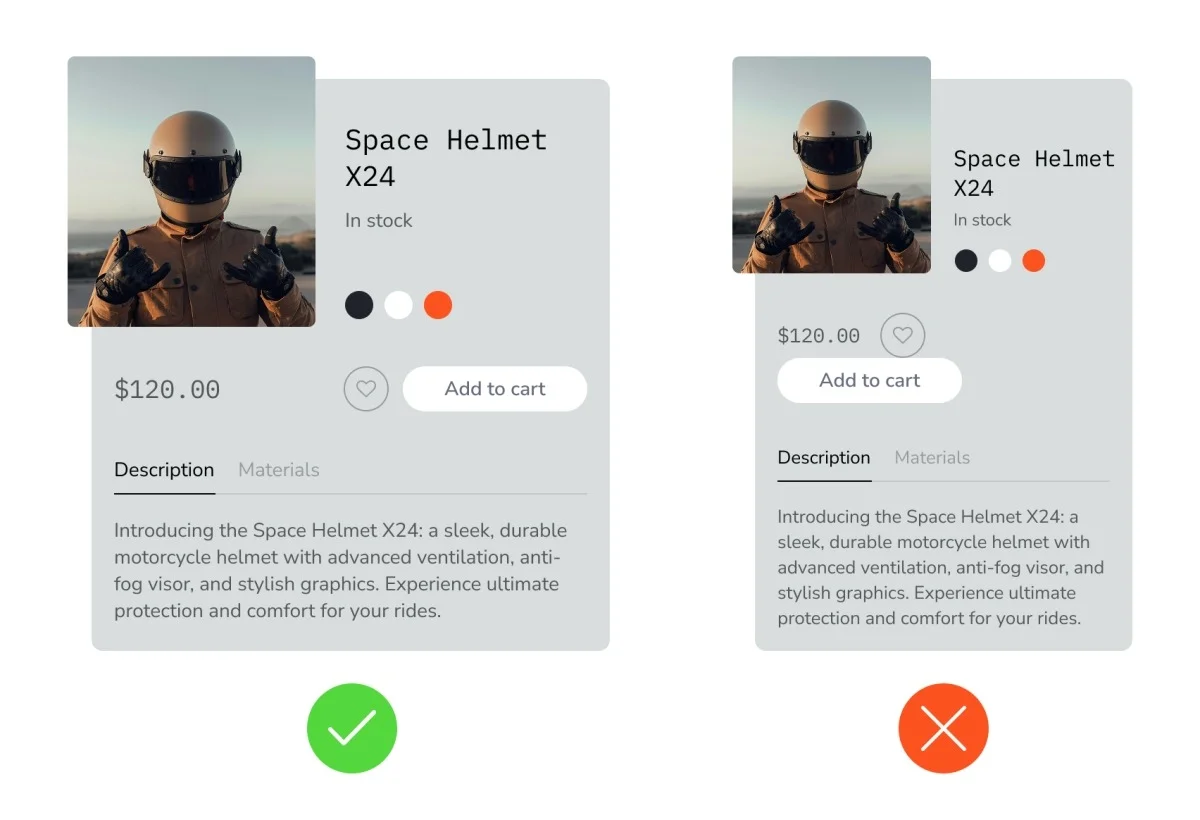
Visual Testing: A Key Tool for UI Development
Visual tests are more straightforward to write and sustain compared to conventional component tests, while also yielding greater confidence in results.
A typical component test for a product card might check for correct title, price display, and functional call-to-action buttons. In contrast, visual tests assess every aspect of the card’s appearance: fonts, color schemes, spacing, layout, breakpoints, and more—all without requiring a single assertion for maintenance.
Incorporating visual tests into your Vitest framework combines the advantages of functional assertions for interactive behavior and those for visual fidelity. Since user experience is critical, it's imperative to validate both functionality and appearance.
Visual Testing with Vitest and Chromatic
If you're utilizing Vitest's Browser Mode for component testing, the Chromatic plugin facilitates the addition of visual tests without necessitating alterations to your existing test files.
ℹ️ What is Browser Mode?
Vitest operates in Node.js, rendering test components within a simulated browser environment, such as jsdom or happydom. However, this simulation limits the ability to test various browser and DOM APIs unless they are explicitly mocked, often leading to skipped tests.
With Browser Mode, Vitest launches a genuine (often headless) browser to render components. This eliminates the need for mocked browser APIs, allowing for comprehensive testing of how components interact with real browsers.
The trade-off presented is between fidelity and speed; Browser Mode offers more realistic testing at the cost of slightly reduced performance.
Using Browser Mode is essential for any visual testing with Vitest.
Implementation Steps
Setting up the Chromatic plugin is straightforward. You only need to register it within your Vitest configuration:
// vitest.config.ts
import { defineProject } from 'vitest/config';
import { playwright } from '@vitest/browser-playwright';
import { chromaticPlugin } from '@chromatic-com/vitest/plugin';

export default defineProject({
  plugins: [chromaticPlugin()], // 👈 Add this; no test file changes required
  test: {
    browser: {
      provider: playwright(),
      enabled: true,
      instances: [{ browser: 'chromium' }],
    },
  },
});
Once the plugin is added, each test run collects the rendered outcome, which can also be captured at selected points during the tests. Following this, you’ll run Chromatic, which uploads results to the cloud, generates snapshots, computes diffs, mitigates flakiness, and ultimately reports as a PR check.
The review process involves approving the diffs that correlate correctly with expected results and rejecting those that don’t, iterating until everything is approved for merging.
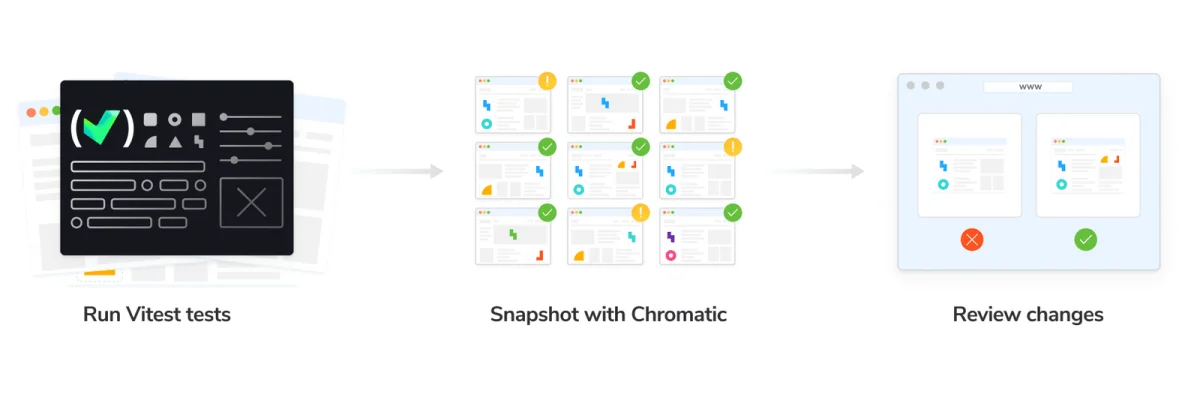
Comparing Chromatic to Vitest's Native Visual Testing
Vitest does include a native visual testing functionality that also requires Browser Mode. This involves taking screenshots of test outcomes and generating diffs for review. However, a significant distinction lies in how these screenshots are handled: Vitest stores them in your repository, necessitating their management through git, and relies on the local environment for capturing, which can introduce instability due to variations in OS, browser, installed fonts, etc.
Chromatic, on the other hand, captures rendered test outcomes locally while solidifying snapshot storage in a stable cloud environment. This provides several advantages:
- Branch-aware baselines, managing main and feature branches automatically.
- Cloud rendering offers consistency in snapshot capturing, minimizing environmental variations.
- SteadySnap effectively stabilizes snapshots against issues like animations and loading variations.
- Parallel snapshotting allows visual tests to run as quickly as possible.
- Chromatic captures the rendered HTML, CSS, and underlying assets, enabling inspection of the DOM for debugging without local test execution.
A concise comparison of these features can be depicted in the following table:
| Comparison | Built-in Vitest Visual Testing | Chromatic Vitest Plugin |
|---|---|---|
| Requires Browser Mode | Yes | Yes |
| Storage | In your repository | In cloud |
| Browser Environment | Variable per setup | Stable cloud environment |
| Reproductions | Static screenshots | Static screenshots & inspectable components |
| Diff Review | Via terminal, CI logs, PR checks | Web app with dedicated PR checks |
| Optimal for | Individual developers, small libraries | Teams managing production applications and design systems |
Join Early Access
The Chromatic plugin is available for early access to teams employing Vitest Browser Mode or transitioning component tests to it. This beta phase is private, featuring personalized onboarding for a select group of teams, along with complimentary snapshots during the evaluation period.
When you bring a real repository, the team will assist in validating Browser Mode collection, CI functionality, PR review efficiency, branch baselines, and debugging processes. Early-access participants will directly influence product development ahead of the official launch, receiving priority access as the beta expands.
This opportunity is particularly suitable for teams utilizing Vitest for component tests and aiming for visual regression coverage without the overhead of building screenshot infrastructure around the built-in API.
Note: Requires Vitest Browser Mode with Playwright. Further onboarding details will follow.